# Code Panel
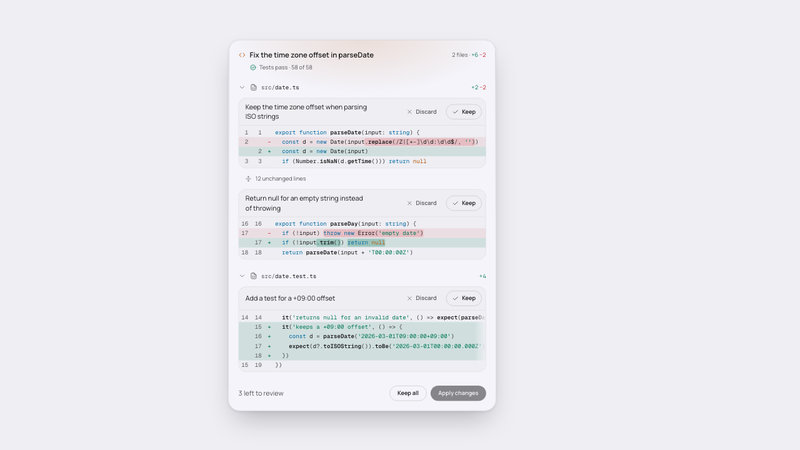
A streaming code card with numbered line notes, a copy action and an optional apply and undo.

## 1. Setup
```tsx
// npm install framer-motion
```
File: components-workspace/code-panel/index.tsx  ·  'use client'  ·  export default function CodePanel(props: CodePanelProps)
```tsx
import { useEffect, useId, useLayoutEffect, useRef, useState, useSyncExternalStore } from 'react'
import type * as React from 'react'
import { animate, AnimatePresence, motion, useMotionValue, useTransform } from 'framer-motion'
import type { MotionValue, Transition, ValueAnimationTransition } from 'framer-motion'
import { RotateCcw } from '@/app/_icons/icons/rotate-ccw'
import { ArrowDownToLine } from '@/app/_icons/icons/arrow-down-to-line'
import { Check } from '@/app/_icons/icons/check'
import { Copy } from '@/app/_icons/icons/copy'
import { LoaderCircle } from '@/app/_icons/icons/loader-circle'
```
The `@/app/_icons/icons/*` imports are this kit's icon set (props: `size`, `weight`, `className`). Without it, map each import to the matching glyph of any icon set with the same props. Classes need Tailwind CSS v4 (`bg-(--var)`, `@container`, `pointer-coarse:`); the `dark:` variants follow whatever dark mode your project configures.

## 2. Constants
```tsx
'use client'

// Every number the component animates or measures with: ms unless named, sizes in px.
export type Tuning = {
  cardMaxW: number
  lineH: number
  bodyPadY: number
  bodyMaxH: number
  gutterW: number
  pinInsetPx: number
  codePadX: number
  markerPx: number
  iconPx: number
  spinnerPx: number
  startMs: number
  lineMs: number
  lineCharMs: number
  lineJitter: number
  lineEnterMs: number
  lineRisePx: number
  doneHoldMs: number
  reducedLineMs: number
  growS: number
  followS: number
  wipeMs: number
  wipeGapMs: number
  noteStaggerMs: number
  noteRiseMs: number
  noteRisePx: number
  enterMs: number
  enterRisePx: number
  hoverMs: number
  pressScale: number
  stateMs: number
  exitMs: number
  panelMs: number
  lightMs: number
  scrollMs: number
  pulseMs: number
  pulseBarPx: number
  copiedMs: number
  tooltipDelayMs: number
  shimmerS: number
  spinS: number
  dotPitch: number
  dotFieldH: number
  dotRoomPx: number
}

export const TUNING: Tuning = {
  cardMaxW: 560,
  lineH: 20,
  bodyPadY: 12,
  // 23 demo lines x 20 + 2 x 12 padding, so the whole demo file shows at rest.
  bodyMaxH: 484,
  gutterW: 56,
  pinInsetPx: 8,
  codePadX: 16,
  markerPx: 16,
  iconPx: 16,
  spinnerPx: 14,
  startMs: 240,
  lineMs: 70,
  lineCharMs: 2.6,
  lineJitter: 0.3,
  lineEnterMs: 260,
  lineRisePx: 4,
  doneHoldMs: 420,
  reducedLineMs: 90,
  growS: 0.35,
  followS: 0.45,
  wipeMs: 250,
  wipeGapMs: 150,
  noteStaggerMs: 40,
  noteRiseMs: 280,
  noteRisePx: 6,
  enterMs: 280,
  enterRisePx: 6,
  hoverMs: 150,
  pressScale: 0.97,
  stateMs: 200,
  exitMs: 100,
  panelMs: 280,
  lightMs: 600,
  scrollMs: 300,
  pulseMs: 600,
  pulseBarPx: 6,
  copiedMs: 1500,
  tooltipDelayMs: 450,
  shimmerS: 2.6,
  spinS: 0.8,
  dotPitch: 6,
  dotFieldH: 64,
  dotRoomPx: 16,
}

const EASE = [0.23, 1, 0.32, 1] as const

export type CodeMarker = { id: string; lines: [number, number]; note: string }

type CodePanelProps = {
  filename?: string
  language?: string
  code?: string
  markers?: CodeMarker[]
  streaming?: boolean
  onCopy?: (code: string) => void
  onApply?: () => void
  onUndo?: () => void
  applyLabel?: string
  className?: string
  tuning?: Partial<Tuning>
}

const DEMO_FILE = 'src/lib/fetch-retry.ts'

const DEMO_LINES = [
  '// Retries a request with exponential backoff.',
  'export async function fetchWithRetry(',
  '  url: string,',
  '  init: RequestInit = {},',
  '  attempts = 3,',
  '): Promise<Response> {',
  '  let lastError: unknown',
  '',
  '  for (let i = 0; i < attempts; i++) {',
  '    try {',
  '      const res = await fetch(url, init)',
  '      if (res.ok) return res',
  '      lastError = new Error(`HTTP ${res.status}`)',
  '    } catch (err) {',
  '      lastError = err',
  '    }',
  '',
  '    const delay = 2 ** i * 250',
  '    await new Promise((r) => setTimeout(r, delay))',
  '  }',
  '',
  '  throw lastError',
  '}',
]

const DEMO_CODE = DEMO_LINES.join('\n')

// Numbers stay on the same line as their unit when a note wraps.
const NBSP = String.fromCharCode(160)

const DEMO_MARKERS: CodeMarker[] = [
  {
    id: 'status',
    lines: [12, 12],
    note: 'Returns on the first success; any failed status counts as a try and goes round again.',
  },
  {
    id: 'backoff',
    lines: [18, 19],
    note: `Waits 250${NBSP}ms, then 500${NBSP}ms, then 1${NBSP}s between tries.`,
  },
  { id: 'give-up', lines: [22, 22], note: 'Gives up after three attempts and rethrows the last error.' },
]

type TokenKind = 'keyword' | 'string' | 'number' | 'comment' | 'ident' | 'fn' | 'punct'

type Token = { text: string; kind: TokenKind }

type ScanState = { block: boolean; template: boolean }

const KEYWORDS = new Set([
  'abstract', 'any', 'as', 'async', 'await', 'bigint', 'boolean', 'break', 'case', 'catch',
  'class', 'const', 'continue', 'declare', 'default', 'delete', 'do', 'else', 'enum', 'export',
  'extends', 'finally', 'for', 'from', 'function', 'if', 'implements', 'import', 'in', 'infer',
  'instanceof', 'interface', 'is', 'keyof', 'let', 'never', 'new', 'number', 'object', 'of',
  'private', 'protected', 'public', 'readonly', 'return', 'satisfies', 'static', 'string',
  'super', 'switch', 'symbol', 'this', 'throw', 'try', 'type', 'typeof', 'unknown', 'var',
  'void', 'while', 'yield',
])

const LITERALS = new Set(['false', 'Infinity', 'NaN', 'null', 'true', 'undefined'])

function closingQuote(line: string, from: number, quote: string) {
  for (let i = from; i < line.length; i += 1) {
    if (line[i] === '\\') {
      i += 1
      continue
    }
    if (line[i] === quote) return i
  }
  return -1
}

function scanLine(line: string, state: ScanState, out: Token[]) {
  let i = 0
  while (i < line.length) {
    if (state.block || state.template) {
      const end = state.block ? line.indexOf('*/', i) : closingQuote(line, i, '`')
      const kind: TokenKind = state.block ? 'comment' : 'string'
      if (end === -1) {
        out.push({ text: line.slice(i), kind })
        return
      }
      const stop = state.block ? end + 2 : end + 1
      out.push({ text: line.slice(i, stop), kind })
      state.block = false
      state.template = false
      i = stop
      continue
    }
    const ch = line[i]
    if (ch === '/' && line[i + 1] === '/') {
      out.push({ text: line.slice(i), kind: 'comment' })
      return
    }
    if (ch === '/' && line[i + 1] === '*') {
      state.block = true
      out.push({ text: '/*', kind: 'comment' })
      i += 2
      continue
    }
    if (ch === '"' || ch === "'" || ch === '`') {
      const end = closingQuote(line, i + 1, ch)
      if (end === -1) {
        out.push({ text: line.slice(i), kind: 'string' })
        if (ch === '`') state.template = true
        return
      }
      out.push({ text: line.slice(i, end + 1), kind: 'string' })
      i = end + 1
      continue
    }
    if (/[0-9]/.test(ch)) {
      let j = i + 1
      while (j < line.length && /[0-9a-fA-FxXoObBn._]/.test(line[j])) j += 1
      out.push({ text: line.slice(i, j), kind: 'number' })
      i = j
      continue
    }
    if (/[A-Za-z_$]/.test(ch)) {
      let j = i + 1
      while (j < line.length && /[A-Za-z0-9_$]/.test(line[j])) j += 1
      const word = line.slice(i, j)
      let kind: TokenKind = 'ident'
      if (KEYWORDS.has(word)) kind = 'keyword'
      else if (LITERALS.has(word)) kind = 'number'
      else if (line[j] === '(' && /^[a-z_$]/.test(word)) kind = 'fn'
      out.push({ text: word, kind })
      i = j
      continue
    }
    let j = i + 1
    while (j < line.length && !/[A-Za-z0-9_$"'`/]/.test(line[j])) j += 1
    out.push({ text: line.slice(i, j), kind: 'punct' })
    i = j
  }
}

function tokenize(lines: string[]): Token[][] {
  const state: ScanState = { block: false, template: false }
  return lines.map((line) => {
    const out: Token[] = []
    scanLine(line, state, out)
    return out
  })
}

const TOKEN_CLASS: Record<TokenKind, string> = {
  keyword: 'text-(color:--cp-ai)',
  string: 'text-(color:--cp-success)',
  number: 'text-(color:--cp-attention)',
  comment: 'italic text-(color:--cp-muted)',
  ident: 'text-(color:--cp-text)',
  fn: 'font-semibold text-(color:--cp-text)',
  punct: 'text-(color:--cp-body)',
}

const THEME_VARS = [
  '[--cp-page:#EEEEF3] dark:[--cp-page:#0E0E0F]',
  '[--cp-panel:#F4F4FA] dark:[--cp-panel:#1B1B1C]',
  '[--cp-well:#EEEEF3] dark:[--cp-well:#0E0E0F]',
  '[--cp-raised:#DFDFE3] dark:[--cp-raised:#2D2D2E]',
  '[--cp-raised-hover:#CACACD] dark:[--cp-raised-hover:#373738]',
  '[--cp-border:#DFDFE3] dark:[--cp-border:#2D2D2E]',
  '[--cp-border-strong:#CACACD] dark:[--cp-border-strong:#373738]',
  '[--cp-hairline:#DFDFE3] dark:[--cp-hairline:#2D2D2E]',
  '[--cp-rim:#CACACD] dark:[--cp-rim:#F4F4FA2E]',
  '[--cp-text:#1B1B1C] dark:[--cp-text:#F4F4FA]',
  '[--cp-body:#373738] dark:[--cp-body:#CACACD]',
  '[--cp-muted:#575759] dark:[--cp-muted:#9B9B9E]',
  '[--cp-faint:#7B7B7D]',
  '[--cp-selection:#A0A0A233] dark:[--cp-selection:#5E5E6333]',
  '[--cp-success:#047857] dark:[--cp-success:#34D399]',
  '[--cp-ai:#0369A1] dark:[--cp-ai:#7DD3FC]',
  '[--cp-attention:#B45309] dark:[--cp-attention:#FFB574]',
  '[--cp-red:#C8262C] dark:[--cp-red:#E5484D]',
  '[--cp-primary:#1B1B1C] dark:[--cp-primary:#F4F4FA]',
  '[--cp-primary-hover:#373738] dark:[--cp-primary-hover:#FFFFFF]',
  '[--cp-on-primary:#F4F4FA] dark:[--cp-on-primary:#0E0E0F]',
  '[--cp-focus:#1B1B1C99] dark:[--cp-focus:#F4F4FA99]',
  '[--cp-focus-gap:#F4F4FA] dark:[--cp-focus-gap:#1B1B1C]',
  '[--cp-dot:#1B1B1C] dark:[--cp-dot:#F4F4FA]',
  '[--cp-elev-card:0_2px_6px_rgba(0,0,0,0.06),0_28px_56px_-16px_rgba(0,0,0,0.25)] dark:[--cp-elev-card:0_2px_6px_rgba(0,0,0,0.5),0_36px_72px_-18px_rgba(0,0,0,0.9)]',
  '[--cp-elev-1:0_1px_2px_rgba(0,0,0,0.08)] dark:[--cp-elev-1:0_1px_2px_rgba(0,0,0,0.5)]',
  '[--cp-elev-menu:0_4px_12px_rgba(0,0,0,0.10),0_16px_32px_-8px_rgba(0,0,0,0.2)] dark:[--cp-elev-menu:0_4px_12px_rgba(0,0,0,0.5),0_16px_32px_-8px_rgba(0,0,0,0.8)]',
].join(' ')

const CARD =
  'relative w-full rounded-[24px] border border-(color:--cp-border) bg-(--cp-panel) p-4 min-[400px]:p-5 shadow-(--cp-elev-card)'

const WELL = 'rounded-2xl border border-(color:--cp-border) bg-(--cp-well)'

const TITLE = 'min-w-0 truncate text-[15px] leading-6 font-semibold text-(color:--cp-text)'

const META = 'shrink-0 text-[12px] leading-4 tabular-nums text-(color:--cp-muted)'

const FOCUS =
  'outline-none focus-visible:ring-2 focus-visible:ring-(color:--cp-focus) focus-visible:ring-offset-2 focus-visible:ring-offset-(color:--cp-focus-gap)'

// The code fades at its edges, which would fade an inset ring too, so the well draws it.
const WELL_FOCUS =
  'has-[[data-cp-body]:focus-visible]:ring-2 has-[[data-cp-body]:focus-visible]:ring-(color:--cp-focus) has-[[data-cp-body]:focus-visible]:ring-offset-2 has-[[data-cp-body]:focus-visible]:ring-offset-(color:--cp-focus-gap)'

// Touch targets: 32px boxes reach 44px tall; 4px neighbours tile with 2px a side.
const HIT_BASE = "relative pointer-coarse:after:absolute pointer-coarse:after:content-['']"

const HIT = `${HIT_BASE} pointer-coarse:after:-inset-y-1.5 pointer-coarse:after:-inset-x-0.5`

// A lone 32px control (Replay): 44px to the touch on every side.
const HIT_ICON = `${HIT_BASE} pointer-coarse:after:-inset-1.5`

const BTN_CORE =
  'inline-flex h-8 shrink-0 items-center justify-center gap-1.5 rounded-full px-4 text-[12px] leading-4 font-semibold transition-[background-color,color,border-color,box-shadow,transform] duration-150 active:scale-[0.97] disabled:pointer-events-none disabled:opacity-50'

const BTN = `${HIT} ${BTN_CORE} ${FOCUS}`

const GHOST_TONE = 'text-(color:--cp-muted) hover:bg-(--cp-raised) hover:text-(color:--cp-text)'

const BTN_GHOST = `${BTN} ${GHOST_TONE}`

const BTN_PRIMARY = `${BTN} bg-(--cp-primary) text-(color:--cp-on-primary) shadow-(--cp-elev-1) hover:bg-(--cp-primary-hover) disabled:shadow-none`

const BTN_SECONDARY = `${BTN} border border-(color:--cp-border-strong) text-(color:--cp-text) hover:bg-(--cp-raised)`

type Tone = 'neutral' | 'ai' | 'attention' | 'success' | 'red'

const TONE_VAR: Record<Tone, string> = {
  neutral: 'var(--cp-dot)',
  ai: 'var(--cp-ai)',
  attention: 'var(--cp-attention)',
  success: 'var(--cp-success)',
  red: 'var(--cp-red)',
}

const TONE_STRENGTH: Record<Tone, number> = { neutral: 6, ai: 14, attention: 14, success: 10, red: 12 }

const SHIMMER_BG = 'linear-gradient(90deg, var(--cp-muted) 0%, var(--cp-text) 50%, var(--cp-muted) 100%)'

const REDUCED_QUERY = '(prefers-reduced-motion: reduce)'

function subscribeReduced(onChange: () => void) {
  if (typeof window === 'undefined' || !window.matchMedia) return () => {}
  const mq = window.matchMedia(REDUCED_QUERY)
  mq.addEventListener('change', onChange)
  return () => mq.removeEventListener('change', onChange)
}

function getReduced() {
  return typeof window !== 'undefined' && !!window.matchMedia && window.matchMedia(REDUCED_QUERY).matches
}

function getReducedServer() {
  return false
}

function splitPath(path: string) {
  const i = path.lastIndexOf('/')
  return i < 0 ? { dir: '', base: path } : { dir: path.slice(0, i + 1), base: path.slice(i + 1) }
}

function plural(n: number, word: string) {
  return `${n} ${word}${n === 1 ? '' : 's'}`
}

function rangeWords(m: { from: number; to: number }) {
  return m.from === m.to ? `Line ${m.from}` : `Lines ${m.from} to ${m.to}`
}

function lineGap(line: string, i: number, baseMs: number, charMs: number, jitter: number) {
  const r = Math.sin((i + 1) * 12.9898) * 43758.5453
  const wobble = 1 + jitter * ((r - Math.floor(r)) * 2 - 1)
  return (baseMs + line.trim().length * charMs) * wobble
}

// A spring on one value keeps its speed when the next line retargets it.
function glide(el: HTMLElement, y: MotionValue<number>, top: number, transition: ValueAnimationTransition<number> | null) {
  const max = Math.max(0, el.scrollHeight - el.clientHeight)
  const to = Math.min(Math.max(0, top), max)
  if (!y.isAnimating()) y.jump(el.scrollTop)
  if (!transition || Math.abs(to - el.scrollTop) < 1) {
    y.jump(to)
    return
  }
  animate(y, to, transition)
}

type Range = { from: number; to: number; note: string; id: string }

function legacyCopy(text: string) {
  // Selecting the scratch field moves focus; hand it back to whatever held it.
  const prev = document.activeElement instanceof HTMLElement ? document.activeElement : null
  const area = document.createElement('textarea')
  area.value = text
  area.setAttribute('readonly', '')
  area.style.position = 'fixed'
  area.style.opacity = '0'
  document.body.appendChild(area)
  area.select()
  let ok = false
  try {
    ok = document.execCommand('copy')
  } catch {
    ok = false
  }
  area.remove()
  prev?.focus({ preventScroll: true })
  return ok
}

function useLoop(seconds: number, reduce: boolean) {
  const v = useMotionValue(0)
  useEffect(() => {
    if (reduce) return
    const a = animate(v, [0, 1], { duration: seconds, ease: 'linear', repeat: Infinity })
    return () => a.stop()
  }, [seconds, reduce, v])
  return v
}

/**
 * @typedef {object} CodeMarker
 * @property {string} id Stable marker identifier that must be unique within the markers list.
 * @property {[number, number]} lines Inclusive one-based line range attached to the note, clamped to the available code.
 * @property {string} note Annotation text shown for the marked range after streaming ends.
 */

/**
 * @typedef {object} CodePanelProps
 * @property {string} [filename] Sets the path shown in the header and apply hint; left out, the demo uses a sample path and host mode shows no path, while passing it turns the demo off.
 * @property {string} [language] Sets the language label shown after writing finishes; left out, the demo uses TypeScript and host mode shows no language, while passing it turns the demo off.
 * @property {string} [code] Supplies the displayed source text; left out, the demo streams sample code and host mode shows no lines, while passing it turns the demo off.
 * @property {CodeMarker[]} [markers] Supplies annotated line ranges; left out, the demo uses sample notes and host mode shows none, while passing it turns the demo off.
 * @property {boolean} [streaming] Keeps the panel in its writing state and hides marker notes when true; left out, the demo animates writing and host code is treated as complete, while passing it turns the demo off.
 * @property {(code: string) => void} [onCopy] Receives the code after a successful clipboard copy; left out, copying still works without a notification.
 * @property {() => void} [onApply] Handles applying the code and makes the Apply control available outside the demo; left out, host panels have no Apply control.
 * @property {() => void} [onUndo] Handles undoing an apply and makes the Undo control available after applying; left out, host panels have no Undo control.
 * @property {string} [applyLabel='Apply'] Sets the apply button text.
 * @property {string} [className] Adds classes to the outermost root; left out, only the built-in classes are used.
 * @property {Partial<Tuning>} [tuning] Overrides panel measurements, timing and motion values; left out, every value in TUNING is used.
 */
```
State
- every hook, handler, effect and disposal
- the animation loop, frame by frame
Tree
- the JSX, every className and inline style
Why · Remix · Check
- the mechanism, the tuning points, the checks
Unlock Code Block
The full source and the remix prompt ship with Premium.