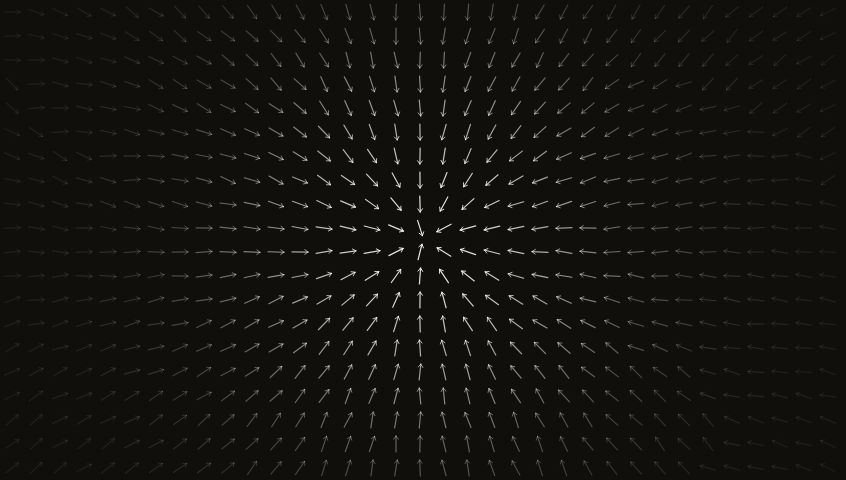
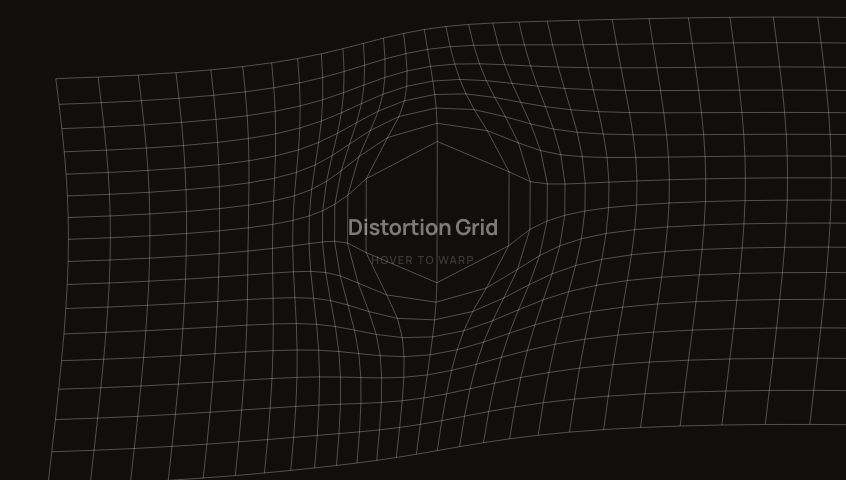
Dot GridA canvas-based dot grid background where hovering illuminates nearby dots with a smooth radial glow and organic fade.
BackgroundsCanvasInteractive
Switch to light
Refresh
Full screen
Dot Gridhover to illuminate
'use client'
import { useLayoutEffect, useEffect, useRef, useState } from 'react'
const useIsomorphicLayoutEffect = typeof window !== 'undefined' ? useLayoutEffect : useEffect
// ─── Config ───────────────────────────────────────────────────────────────────
const SPACING = 20 // px between dot centres
const RADIUS = 130 // px — hover influence radius
const BASE_A = 0.13 // resting dot opacity
const PEAK_A = 0.92 // fully-lit dot opacity
export default function InteractiveDotGrid({ showLabel = true }: { showLabel?: boolean } = {}) {
const containerRef = useRef<HTMLDivElement>(null)
const canvasRef = useRef<HTMLCanvasElement>(null)
const mouseRef = useRef<{ x: number; y: number } | null>(null)
const isDarkRef = useRef(typeof window !== 'undefined' ? document.documentElement.classList.contains('dark') : false)
const [isDark, setIsDark] = useState(() => typeof window !== 'undefined' ? document.documentElement.classList.contains('dark') : false)
// ── Theme detection ────────────────────────────────────────────────────────
useIsomorphicLayoutEffect(() => {
const el = containerRef.current
if (!el) return
const check = () => {
const card = el.closest('[data-card-theme]')
const dark = card
? card.classList.contains('dark')
: document.documentElement.classList.contains('dark')
setIsDark(dark)
isDarkRef.current = dark
}
check()
const observer = new MutationObserver(check)
observer.observe(document.documentElement, { attributes: true, attributeFilter: ['class'] })
const cardWrapper = el.closest('[data-card-theme]')
if (cardWrapper) observer.observe(cardWrapper, { attributes: true, attributeFilter: ['class'] })
return () => observer.disconnect()
}, [])
// ── Pointer tracking ───────────────────────────────────────────────────────
// Listens at the window level so the cursor is tracked even when the
// dot grid is rendered behind other elements (e.g. as a background under
// a `pointer-events: none` wrapper). Only writes to a ref — no React
// state, no re-renders. Listeners are passive so the browser never
// blocks scroll/touch on this handler.
useEffect(() => {
const updateFromClient = (clientX: number, clientY: number) => {
const canvas = canvasRef.current
if (!canvas) return
// getBoundingClientRect is fast on a stable layout — modern browsers
// serve it from the cached layout box without triggering reflow.
const rect = canvas.getBoundingClientRect()
mouseRef.current = { x: clientX - rect.left, y: clientY - rect.top }
}
const onMouseMove = (e: MouseEvent) => updateFromClient(e.clientX, e.clientY)
const onTouchMove = (e: TouchEvent) => {
const t = e.touches[0]
if (t) updateFromClient(t.clientX, t.clientY)
}
const clearPointer = () => { mouseRef.current = null }
window.addEventListener('mousemove', onMouseMove, { passive: true })
window.addEventListener('touchmove', onTouchMove, { passive: true })
window.addEventListener('touchend', clearPointer, { passive: true })
window.addEventListener('touchcancel', clearPointer, { passive: true })
// Fires when the cursor leaves the browser viewport entirely.
document.addEventListener('mouseleave', clearPointer)
return () => {
window.removeEventListener('mousemove', onMouseMove)
window.removeEventListener('touchmove', onTouchMove)
window.removeEventListener('touchend', clearPointer)
window.removeEventListener('touchcancel', clearPointer)
document.removeEventListener('mouseleave', clearPointer)
}
}, [])
// ── Canvas render loop ─────────────────────────────────────────────────────
useEffect(() => {
const canvas: HTMLCanvasElement = canvasRef.current!
const ctx = canvas.getContext('2d')!
type Dot = { x: number; y: number; b: number }
let dots: Dot[] = []
let animId = 0
let alive = true
let cw = 0, ch = 0
function build() {
const dpr = window.devicePixelRatio || 1
const rect = canvas.getBoundingClientRect()
cw = rect.width
ch = rect.height
if (!cw || !ch) return
canvas.width = Math.round(cw * dpr)
canvas.height = Math.round(ch * dpr)
ctx.setTransform(dpr, 0, 0, dpr, 0, 0)
dots = []
const cols = Math.floor(cw / SPACING) + 2
const rows = Math.floor(ch / SPACING) + 2
const ox = (cw % SPACING) / 2
const oy = (ch % SPACING) / 2
for (let r = 0; r < rows; r++) {
for (let c = 0; c < cols; c++) {
dots.push({ x: ox + c * SPACING, y: oy + r * SPACING, b: 0 })
}
}
}
function frame() {
if (!alive) return
ctx.clearRect(0, 0, cw, ch)
const mx = mouseRef.current?.x ?? -99999
const my = mouseRef.current?.y ?? -99999
const r2 = RADIUS * RADIUS
const dotRGB = isDarkRef.current ? '255,255,255' : '28,25,22'
for (const d of dots) {
const dx = d.x - mx
const dy = d.y - my
const dist2 = dx * dx + dy * dy
const tgt = dist2 < r2 ? Math.pow(1 - Math.sqrt(dist2) / RADIUS, 1.5) : 0
// Fast attack, slow release — feels organic
d.b += (tgt > d.b ? 0.16 : 0.07) * (tgt - d.b)
if (d.b < 0.004) d.b = 0
const baseA = isDarkRef.current ? BASE_A : 0.25
const alpha = baseA + (PEAK_A - baseA) * d.b
const sz = 1 + d.b * 1.2 // grow slightly when lit (1px → 2.2px max)
ctx.fillStyle = `rgba(${dotRGB},${alpha.toFixed(2)})`
ctx.fillRect(d.x - sz / 2, d.y - sz / 2, sz, sz)
}
animId = requestAnimationFrame(frame)
}
build()
frame()
const ro = new ResizeObserver(build)
ro.observe(canvas.parentElement!)
return () => {
alive = false
cancelAnimationFrame(animId)
ro.disconnect()
}
}, [])
const bg = isDark ? '#110F0C' : '#F5F1EA'
const labelColor = isDark ? 'rgba(255,255,255,0.45)' : 'rgba(28,25,22,0.45)'
const hintColor = isDark ? 'rgba(255,255,255,0.18)' : 'rgba(28,25,22,0.22)'
return (
<div
ref={containerRef}
className="relative min-h-screen w-full overflow-hidden"
style={{ background: bg }}
>
<canvas
ref={canvasRef}
className="absolute inset-0"
style={{ width: '100%', height: '100%' }}
/>
{showLabel && (
<div className="pointer-events-none absolute inset-0 flex flex-col items-center justify-center gap-2">
<span style={{ color: labelColor, fontSize: 22, fontWeight: 700, letterSpacing: '-0.02em' }}>
Dot Grid
</span>
<span style={{ color: hintColor, fontSize: 11, fontWeight: 600, textTransform: 'uppercase', letterSpacing: '0.12em' }}>
hover to illuminate
</span>
</div>
)}
</div>
)
}
Add to your project
One command adds this component to your project.
1
Run the following command. New project? Run npx shadcn@latest init first to set up Tailwind and path aliases.
npx shadcn@latest add @aicanvas/dot-grid2
For dark mode, add the dark class to your <html> element:
<html class="dark">