Verify this project has Tailwind CSS v4, TypeScript, and React set up. If anything is missing, install via the shadcn CLI:
  npx shadcn@latest init

---

Create a React client component named InteractiveCardStack at components-workspace/interactive-card-stack/index.tsx. Write it as a single self-contained file. Inline everything. Do not extract helper hooks, utility functions, or separate files. 'use client' at the top. Add the comment // npm install framer-motion right under it. No 'any' types, no type assertions beyond 'as const' on spring objects. Use Framer Motion for all animation. The component must work in light and dark mode, be responsive to 320px, respect reduced motion, and be accessible.

Export a single default function: export default function InteractiveCardStack().

What it looks like and does:
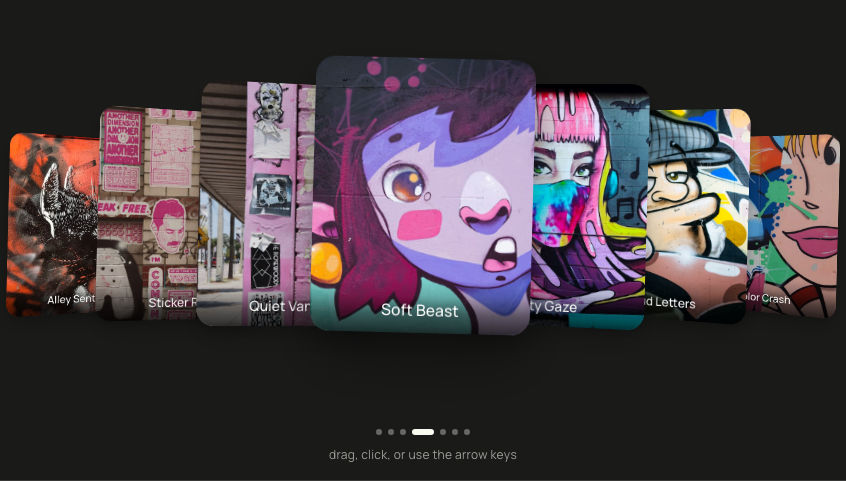
A loose pile of 5 polaroid-style photo cards with mixed aspect ratios (3 portrait, 2 landscape), scattered around a focused center card. The front card sits upright; the other 4 fan out behind it at varied offsets, rotations, and scales. The whole pile breathes softly when idle (each card bobs and rocks on its own period, out of phase). Click any back card to bring it to the front; the rest reshuffle around it. Drag the focused card left or right to cycle focus by one. Arrow keys left and right cycle focus, but ONLY while keyboard focus is inside the widget. A row of 5 dots underneath shows focus position (active dot is wider and brighter), with a single hint line: "drag, click, or use the arrow keys".

Types:
interface Card { id: number; orientation: 'portrait' | 'landscape'; title?: string; image: string }
interface Slot { x: number; y: number; rotate: number; scale: number; zIndex: number }

Data (exact 5 entries, keep ids, orientations, titles, and image URLs):
0: portrait,  title "Scarlet macaw",        image "https://ik.imagekit.io/aitoolkit/interactive-card-stack/scarlet-macaw-rainforest-branch.jpg"
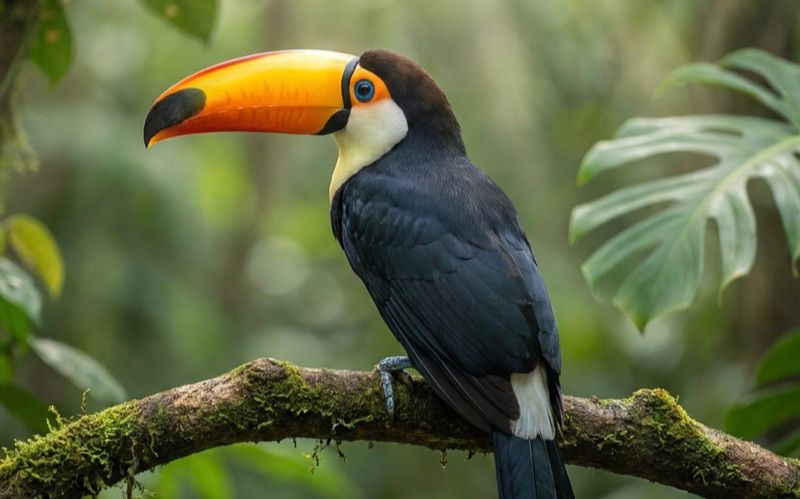
1: landscape, title "Toco toucan",          image "https://ik.imagekit.io/aitoolkit/interactive-card-stack/toco-toucan-rainforest-canopy.jpg"
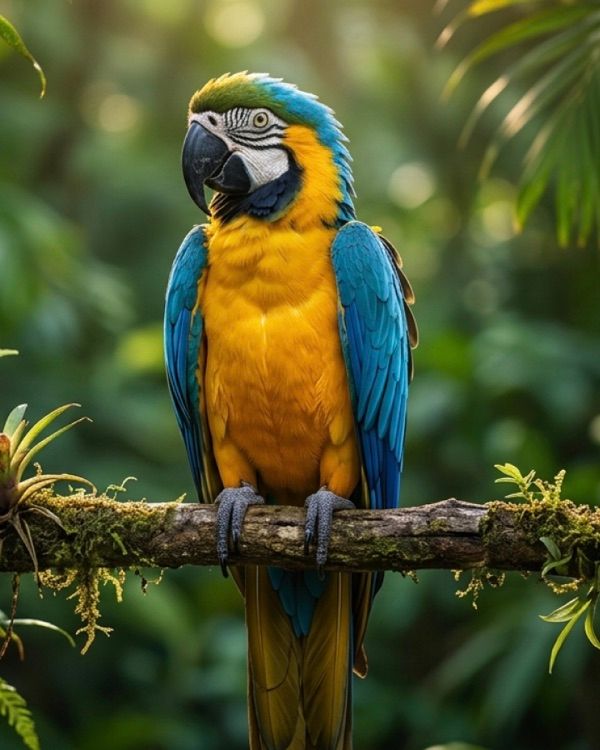
2: portrait,  title "Blue and gold macaw",  image "https://ik.imagekit.io/aitoolkit/interactive-card-stack/blue-and-gold-macaw-jungle-perch.jpg"
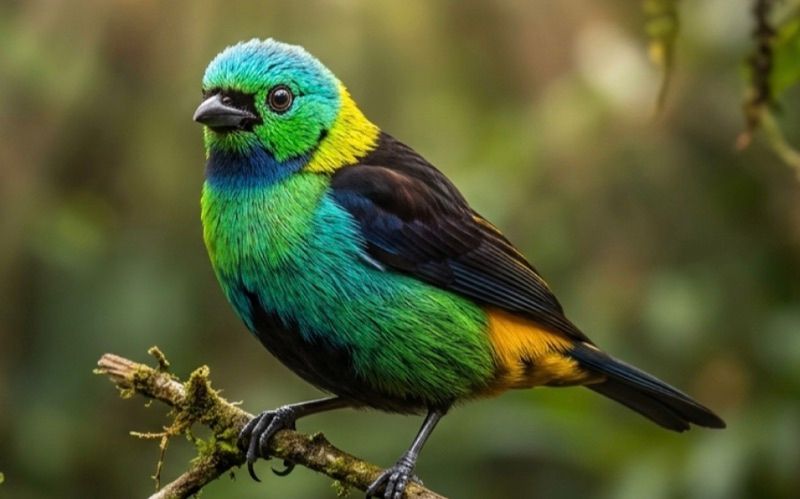
3: landscape, title "Green-headed tanager", image "https://ik.imagekit.io/aitoolkit/interactive-card-stack/green-headed-tanager-mossy-branch.jpg"
4: portrait,  title "Northern mockingbird", image "https://ik.imagekit.io/aitoolkit/interactive-card-stack/northern-mockingbird-autumn-woodland.jpg"
Orientation travels with the card id (not the slot). Each photo is pre-cropped to its card aspect (portrait 4:5, landscape 16:10), so a plain object-cover fill needs no further art direction. Every card renders a title strip; the title is also the card's accessible name. Because the visible title names each photo, the img alt is empty (alt="") so screen readers do not hear the name twice.

Slot tables (slot 0 is the focused front; slots 1-4 scatter behind):
SLOTS_DESKTOP:
0: { x:    0, y:   0, rotate:  1.5, scale: 1.00, zIndex: 50 }
1: { x:  160, y: -30, rotate:  12,  scale: 0.90, zIndex: 40 }
2: { x: -150, y: -10, rotate: -14,  scale: 0.89, zIndex: 30 }
3: { x:   90, y:  70, rotate:  8,   scale: 0.86, zIndex: 20 }
4: { x: -110, y:  60, rotate: -9,   scale: 0.84, zIndex: 10 }
SLOTS_MOBILE (tighter spread so all 5 stay visible under 640px):
0: { x:   0, y:   0, rotate:  1,   scale: 1.00, zIndex: 50 }
1: { x:  90, y: -15, rotate:  6,   scale: 0.92, zIndex: 40 }
2: { x: -85, y:  20, rotate: -7,   scale: 0.91, zIndex: 30 }
3: { x:  55, y:  35, rotate:  4,   scale: 0.88, zIndex: 20 }
4: { x: -55, y:  25, rotate: -4.5, scale: 0.87, zIndex: 10 }

Module-scope constants (hoist these so their identity stays stable across renders):
- SPRING = { type: 'spring' as const, stiffness: 280, damping: 26 } for runtime transitions.
- MOUNT_SPRING = { type: 'spring' as const, stiffness: 200, damping: 22 } for the entrance.
- STAGGER_S = 0.08
- Breathing keyframes: BREATH_Y_FOCUS = [0,-14,0,10,0], BREATH_Y_REST = [0,-8,0,6,0], BREATH_ROTATE_FOCUS = [0,1.5,0,-1.5,0], BREATH_ROTATE_REST = [0,1,0,-1,0].
- SHADOW_FOCUS = '0 24px 48px rgba(0,0,0,0.28), 0 6px 14px rgba(0,0,0,0.16)', SHADOW_REST = '0 12px 28px rgba(0,0,0,0.18), 0 4px 8px rgba(0,0,0,0.12)'.
- RING = 'focus-visible:outline-2 focus-visible:outline-offset-2 focus-visible:outline-[#A8B94D]' (visible focus ring on every interactive control).
- TITLE_STYLE and CHIP_STYLE as CSSProperties (see title strip and open button below).

State (useState): order: number[] initial [0,1,2,3,4] (order[slotIndex] = cardId, order[0] is the focused front); mounted: boolean initial false (flips true after first paint so the entrance stagger runs once); isMobile: boolean initial false.
Refs: containerRef on the inner wrapper (scopes the arrow keys); dragDelta = useRef(0) to tell a tap from a drag.
Reduced motion: const reduceMotion = useReducedMotion() from 'framer-motion'.

Effects (all cleaned up):
1. setMounted(true) on mount.
2. matchMedia('(min-width: 640px)'): setIsMobile(!mq.matches) on mount and on 'change'; remove the listener on unmount.
3. window 'keydown' handler that is SCOPED: bail out unless event.key is ArrowRight or ArrowLeft AND containerRef.current contains document.activeElement. Only then preventDefault and step(+1 / -1). This is critical: never call preventDefault on arrow keys for the whole page, or you break the host page's caret movement, scrolling, and native controls.

Callbacks:
- focusCard(cardId): setOrder(prev => { const idx = prev.indexOf(cardId); if (idx <= 0) return prev; return [cardId, ...prev.slice(0, idx), ...prev.slice(idx + 1)] }).
- step(dir: 1 | -1): setOrder(prev => dir === 1 ? [...prev.slice(1), prev[0]] : [prev[prev.length-1], ...prev.slice(0, prev.length-1)]).
- handleDragEnd(_, info: PanInfo): distance = info.offset.x, velocity = info.velocity.x. If distance < -80 || velocity < -400 then step(1) (a leftward drag advances to the next card). Else if distance > 80 || velocity > 400 then step(-1) (a rightward drag goes to the previous card).

Layout:
Root: <div className="flex min-h-screen w-full items-center justify-center bg-[#E8E8DF] px-4 dark:bg-[#1A1A19]">.
Inner wrapper carries containerRef: <div ref={containerRef} className="relative flex w-full max-w-4xl flex-col items-center gap-10 py-12">.
Stage: <div role="group" aria-label="Interactive card stack" aria-describedby="ics-hint" className="relative flex w-full select-none items-center justify-center overflow-hidden" style={{ perspective: '1400px', height: 'clamp(320px, 44vw, 440px)' }}>. The overflow-hidden is required so the scattered, rotated cards never spill past the container and create a horizontal page scrollbar at narrow widths.

Render each card (map over CARDS, keep key={card.id}, do not sort):
- const slotIndex = order.indexOf(card.id); const slot = (isMobile ? SLOTS_MOBILE : SLOTS_DESKTOP)[slotIndex]; const isFocus = slotIndex === 0; const isLandscape = card.orientation === 'landscape'.
- transition = (!reduceMotion && !mounted) ? { ...MOUNT_SPRING, delay: slotIndex * STAGGER_S } : SPRING.
- widthClass by orientation and breakpoint: landscape -> isMobile ? 'w-[clamp(200px,60vw,260px)]' : 'w-[clamp(220px,28vw,320px)]'; portrait -> isMobile ? 'w-[clamp(130px,42vw,180px)]' : 'w-[clamp(160px,20vw,220px)]'.
- breathing under reduced motion is OFF: breathY = reduceMotion ? 0 : (isFocus ? BREATH_Y_FOCUS : BREATH_Y_REST); breathRotate = reduceMotion ? 0 : (isFocus ? BREATH_ROTATE_FOCUS : BREATH_ROTATE_REST).
- zIndex = slot.zIndex. The z-index follows the slot, so a flicked card drops behind the others the instant it is released and slides under them on the way to the rear. Do not add a lingering "stay on top then drop" elevation, it reads as an awkward late z-index swap.

OUTER motion.div (positioning only, plus the accessibility surface):
- key={card.id}, tabIndex={0}, className={`absolute ${widthClass} rounded-[18px] outline-none ${isFocus ? '' : RING}`}.
- role: ONLY non-focused cards are buttons. role={isFocus ? undefined : 'button'}. The focused card has no activation action (it is dragged, not clicked), so it must NOT be a role="button" that does nothing.
- aria-label: isFocus ? `${card.title}, current. Drag or use the arrow keys to change cards.` : `Show ${card.title}`.
- onClick and onKeyDown are present ONLY when !isFocus: onClick preventDefault then (if Math.abs(dragDelta.current) < 8) focusCard(card.id); onKeyDown focuses on Enter or Space (with preventDefault). When isFocus, both are undefined.
- onPointerDown resets dragDelta.current = 0. drag={isFocus ? 'x' : false}, dragConstraints={{ left: 0, right: 0 }}, dragElastic={0.6}, onDrag sets dragDelta.current = info.offset.x, onDragEnd={handleDragEnd}.
- style={{ cursor: isFocus ? 'grab' : 'pointer', zIndex }}.
- initial={reduceMotion ? false : { opacity: 0, scale: 0.5, y: 60 }}; animate={{ x: slot.x, y: slot.y, rotate: slot.rotate, scale: slot.scale, opacity: 1 }}; transition={transition}; whileTap={isFocus ? { cursor: 'grabbing' } : undefined}.

MIDDLE motion.div (breathing loop + polaroid chrome):
- className="relative flex w-full flex-col rounded-[18px] ring-1 ring-black/[0.08] dark:ring-white/[0.12]".
- style={{ backgroundColor: '#FFFFFF', padding: '10px', boxShadow: isFocus ? SHADOW_FOCUS : SHADOW_REST }} (uniform 10px padding on all cards).
- animate={{ y: breathY, rotate: breathRotate }}; transition={ reduceMotion ? { duration: 0 } : { duration: 7 + card.id * 0.6, repeat: Infinity, ease: 'easeInOut' } }. Durations are 7.0s / 7.6s / 8.2s / 8.8s / 9.4s for ids 0-4.
- First child: a dark-mode paper overlay span, aria-hidden, className "pointer-events-none absolute inset-0 rounded-[18px] dark:bg-[#F5F5F0]" (light mode shows the white backgroundColor; dark mode shifts the paper to a creamy off-white).

INNER content:
- Title strip (rendered when card.title is set, which is all 5): a relative div, style {{ position: 'relative', padding: '14px 12px 8px 12px' }}. Inside it:
  - A <p style={TITLE_STYLE}>{card.title}</p>. TITLE_STYLE: margin 0, paddingRight 34 (reserves room for the open button so the title never reflows), fontFamily 'var(--font-sans, sans-serif)', fontWeight 600, fontSize '15px', lineHeight 1.3, letterSpacing '-0.01em', color '#1a1a19', textAlign 'left', and a 2-line clamp (display '-webkit-box', WebkitLineClamp 2, WebkitBoxOrient 'vertical', overflow 'hidden', minHeight '2.6em').
  - The top-right chip, rendered ONLY when isFocus (so there are never hidden, focusable controls stacked behind the front card). It is the developer seam for a per-card link and is NOT wired to anything in the demo. Behaviour depends on whether that card has an optional href field: if card.href is set, render a motion.a (real link, target="_blank", rel="noopener noreferrer", aria-label `Open ${card.title} in a new tab`, focusable, with the RING focus style); if not, render a decorative motion.span with aria-hidden (no role, not focusable, no navigation) so pressing it does nothing. The demo cards set no href, so the chip is decorative. Both variants share the exact same visuals: position absolute top:10 right:10 lineHeight:0, initial {{ opacity: 0, scale: 0.85 }}, animate {{ opacity: 1, scale: 1 }}, transition SPRING, whileHover {{ scale: 1.1 }}, whileTap {{ scale: 0.9 }}, onPointerDown stopPropagation so it never starts a drag, and the same chip inside: a <span style={CHIP_STYLE}> (clamp(28px,7.5vw,36px) square, backgroundColor '#141312', borderRadius 11, boxShadow '0 8px 18px rgba(0,0,0,0.42), 0 3px 6px rgba(0,0,0,0.30)', flex-centered) holding a 56% arrow svg (viewBox 0 0 24 24, stroke '#F5F1E8', strokeWidth 1, round caps and joins, paths "M7 17 L17 7" and "M9 7 H17 V15"). Hoist that chip to a shared element so both branches reuse it. Add href?: string to the Card interface.
- Image well: <div className={`relative w-full overflow-hidden ${isLandscape ? 'aspect-[16/10]' : 'aspect-[4/5]'}`} style={{ borderRadius: 10 }}>. Inside: <img src={card.image} alt="" loading={isFocus ? 'eager' : 'lazy'} fetchPriority={isFocus ? 'high' : 'low'} draggable={false} className="absolute inset-0 h-full w-full object-cover" />. The focused image is the LCP hero, so it loads eagerly at high priority; the rest defer.

After the stage, a visually-hidden live region that announces the front-card change to assistive tech: <p className="sr-only" aria-live="polite">{frontTitle ? `${frontTitle} in focus` : ''}</p>, where frontTitle = CARDS.find(c => c.id === order[0])?.title ?? ''.

Dot indicator + hint:
<div className="flex flex-col items-center gap-3"> with an inner row <div className="flex items-center gap-1.5"> of 5 dot buttons. Each dot is a plain <button type="button"> sized 24x24 (a WCAG 2.5.8 hit target) that flex-centers a small visible pill: className={`flex items-center justify-center rounded-full outline-none ${RING}`}, style {{ width: 24, height: 24 }}, aria-label={`Show ${card.title}`}, aria-current={isCurrent ? true : undefined}, onClick focusCard(card.id), where isCurrent = order[0] === card.id. Inside it a motion.span: className "block rounded-full bg-[#21211F] dark:bg-[#FAFAF0]", animate {{ width: isCurrent ? 20 : 5, opacity: isCurrent ? 1 : 0.3 }}, transition { type: 'spring', stiffness: 400, damping: 30 }, style {{ height: 5 }}. The visible pill stays 5/20px while the clickable button is a full 24x24.
Then the hint: <p id="ics-hint" className="text-sm tracking-wide text-[#666662] dark:text-[#9E9E98]">drag, click, or use the arrow keys</p>. Use text-sm (14px), not text-xs, so the instruction is legible on phones.

Accessibility and motion summary:
- Only back cards are buttons. The focused card is a labelled, draggable region with no fake action. The top-right chip is a real link only when its card has an href, otherwise a decorative aria-hidden affordance; only one chip exists at a time (on the focused card), never a dead button announced as actionable.
- Every interactive control shows a visible focus ring (RING).
- Arrow keys are scoped to the widget, never hijacked globally.
- Under prefers-reduced-motion the breathing loop and the scale/translate entrance are both disabled.
- The stage clips overflow so nothing spills horizontally on small screens.

Theme: works in light and dark. Container #E8E8DF / #1A1A19. Card paper is #FFFFFF in light and shifts to #F5F5F0 in dark via the overlay span. The ring flips from black/8 to white/12. Title color stays #1a1a19 in both themes. No em-dashes in any user-visible copy.

TypeScript strict, no any. Clean up every effect (matchMedia listener, keydown listener). Keep the order-array pattern: never mutate it, always return a new array from setOrder.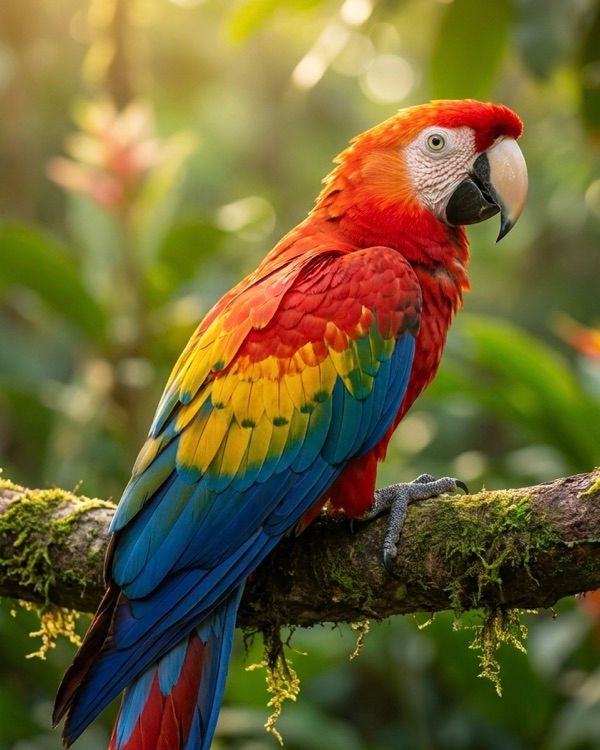


 AI Canvas