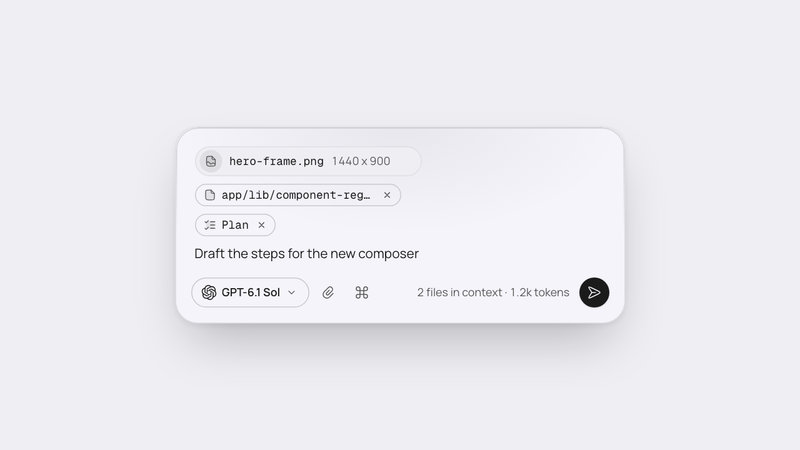
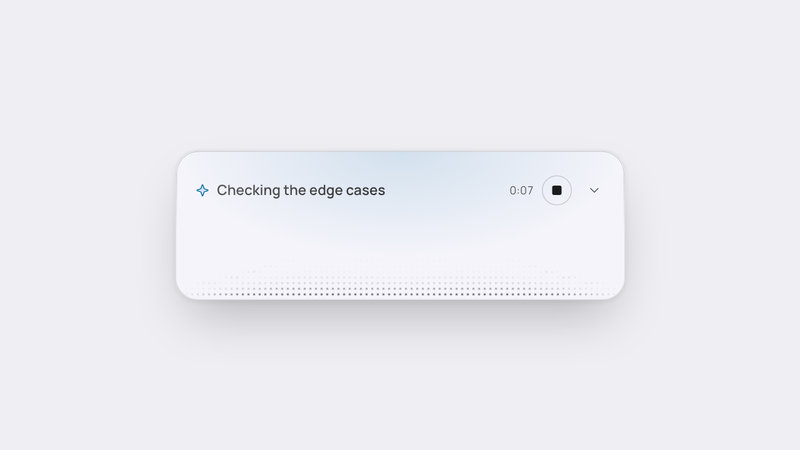
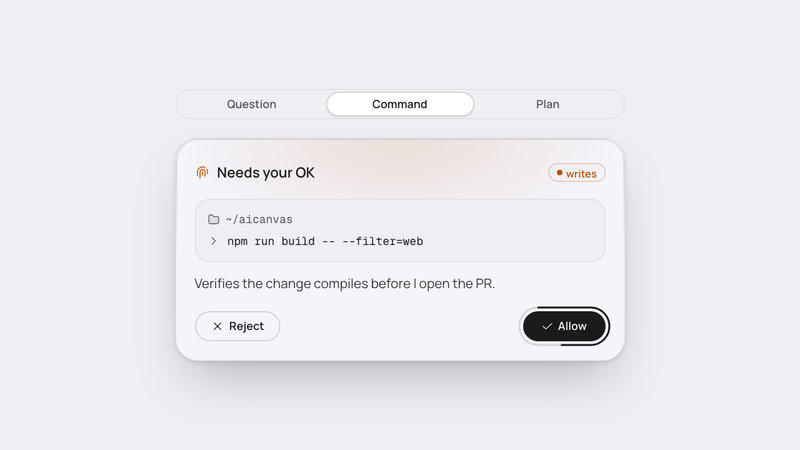
# Agent Status
A live status pill for AI agents that expands into run steps and cost.

## 1. Setup
// npm install framer-motion
File: components-workspace/agent-status/index.tsx  ·  'use client'  ·  export default function AgentStatus()
import { useEffect, useId, useLayoutEffect, useRef, useState, useSyncExternalStore } from 'react'
import type * as React from 'react'
import { animate, AnimatePresence, motion, useIsPresent, useMotionValue, useTransform } from 'framer-motion'
import type { MotionValue } from 'framer-motion'
import { RotateCcw } from '@/app/_icons/icons/rotate-ccw'
import { ChevronDown } from '@/app/_icons/icons/chevron-down'
import { Check } from '@/app/_icons/icons/check'
import { LoaderCircle } from '@/app/_icons/icons/loader-circle'
import { CircleAlertDuotone } from '@/app/_icons/icons/circle-alert-duotone'
import { CircleCheckDuotone } from '@/app/_icons/icons/circle-check-duotone'
import { CircleDashedDuotone } from '@/app/_icons/icons/circle-dashed-duotone'
import { CircleMinusDuotone } from '@/app/_icons/icons/circle-minus-duotone'
import { CircleStopDuotone } from '@/app/_icons/icons/circle-stop-duotone'
import { CircleXDuotone } from '@/app/_icons/icons/circle-x-duotone'
import { FilePlusDuotone } from '@/app/_icons/icons/file-plus-duotone'
import { FileTextDuotone } from '@/app/_icons/icons/file-text-duotone'
import { GlobeDuotone } from '@/app/_icons/icons/globe-duotone'
import { MessageCircleDuotone } from '@/app/_icons/icons/message-circle-duotone'
import { Pen2Duotone } from '@/app/_icons/icons/pen-2-duotone'
import { SearchDuotone } from '@/app/_icons/icons/search-duotone'
import { SparkleDuotone } from '@/app/_icons/icons/sparkle-duotone'
import { TerminalDuotone } from '@/app/_icons/icons/terminal-duotone'
import { TrashDuotone } from '@/app/_icons/icons/trash-duotone'

Styling is Tailwind CSS v4 (the bg-(--var) and text-(color:--var) syntax, pointer-coarse: and class-based dark:). The @/app/_icons imports are the AI Canvas icon set; without it, use any icons that accept the same size, weight and className props.

## 2. Constants
export type Tuning = {
  pillH: number
  pillMinW: number
  pillMaxW: number
  panelW: number
  panelRadius: number
  panelGap: number
  glyphPx: number
  stopPx: number
  widthSpringS: number
  phraseOutMs: number
  phraseInMs: number
  phraseRisePx: number
  hoverMs: number
  stateMs: number
  panelMs: number
  countMs: number
  lightMs: number
  pillLightH: number
  panelLightH: number
  rimFlashMs: number
  dotPitch: number
  dotFieldH: number
  replayDelayMs: number
  shimmerS: number
  spinS: number
  stallAfterMs: number
  stopHoldMs: number
  tickMs: number
  demoSpeed: number
}

export const TUNING: Tuning = {
  pillH: 40,
  pillMinW: 200,
  pillMaxW: 480,
  panelW: 480,
  panelRadius: 24,
  panelGap: 8,
  glyphPx: 16,
  stopPx: 32,
  widthSpringS: 0.35,
  phraseOutMs: 120,
  phraseInMs: 160,
  phraseRisePx: 4,
  hoverMs: 150,
  stateMs: 200,
  panelMs: 280,
  countMs: 400,
  lightMs: 600,
  pillLightH: 72,
  panelLightH: 160,
  rimFlashMs: 600,
  dotPitch: 6,
  dotFieldH: 64,
  replayDelayMs: 500,
  shimmerS: 2.6,
  spinS: 0.9,
  stallAfterMs: 15000,
  stopHoldMs: 8000,
  tickMs: 100,
  demoSpeed: 1,
}

const EASE = [0.23, 1, 0.32, 1] as const

// Keeps a number and its unit on one line ("212 lines").
const NBSP = String.fromCharCode(160)

const MINUS = String.fromCharCode(8722)

export type AgentState = 'ready' | 'thinking' | 'working' | 'waiting' | 'stalled' | 'done' | 'stopped' | 'failed'

export type StepKind = 'think' | 'read' | 'search' | 'edit' | 'create' | 'run' | 'fetch' | 'delete' | 'wait'

export type StatusStep = {
  kind: StepKind
  label: string
  target?: string
  outcome?: string
  diff?: { added: number; removed: number }
  failed?: boolean
  durationMs?: number
  status?: 'done' | 'live' | 'canceled'
}

export type TokenUse = { input: number; output: number; inputUsd?: number; outputUsd?: number }

type AgentStatusProps = {
  state?: AgentState
  phrase?: string
  target?: string
  elapsedMs?: number
  waitingMs?: number
  quietMs?: number
  costUsd?: number
  steps?: StatusStep[]
  tokens?: TokenUse
  defaultOpen?: boolean
  onStop?: () => void
  onReview?: () => void
  className?: string
  tuning?: Partial<Tuning>
}

const KIND_ICON: Record<StepKind, typeof FileTextDuotone> = {
  think: SparkleDuotone,
  read: FileTextDuotone,
  search: SearchDuotone,
  edit: Pen2Duotone,
  create: FilePlusDuotone,
  run: TerminalDuotone,
  fetch: GlobeDuotone,
  delete: TrashDuotone,
  wait: MessageCircleDuotone,
}

type Beat = {
  at: number
  end: number
  kind: StepKind
  say: string
  sayTarget?: string
  now: string
  past: string
  target?: string
  outcome?: string
  diff?: { added: number; removed: number }
  failed?: boolean
  usd: number
  agent: boolean
}

const STORY: Beat[] = [
  { at: 800, end: 2600, kind: 'think', say: 'Thinking', now: 'Thinking', past: 'Thought', usd: 0.01, agent: true },
  {
    at: 2600,
    end: 4200,
    kind: 'read',
    say: 'Reading',
    sayTarget: 'src/auth.ts',
    now: 'Reading',
    past: 'Read',
    target: 'src/auth.ts',
    outcome: `212${NBSP}lines`,
    usd: 0.01,
    agent: true,
  },
  {
    at: 4200,
    end: 6400,
    kind: 'run',
    say: 'Running tests',
    now: 'Running',
    past: 'Ran',
    target: 'npm test',
    outcome: `2${NBSP}failed`,
    failed: true,
    usd: 0.02,
    agent: true,
  },
  {
    at: 6400,
    end: 8000,
    kind: 'edit',
    say: 'Editing',
    sayTarget: 'src/auth.ts',
    now: 'Editing',
    past: 'Edited',
    target: 'src/auth.ts',
    diff: { added: 8, removed: 2 },
    usd: 0.03,
    agent: true,
  },
  {
    at: 8000,
    end: 12000,
    kind: 'wait',
    say: 'Waiting for you: approve deleting',
    sayTarget: 'build/',
    now: 'Asking to delete',
    past: 'Asked to delete',
    target: 'build/',
    outcome: 'approved',
    usd: 0,
    agent: false,
  },
  {
    at: 12000,
    end: 13600,
    kind: 'delete',
    say: 'Deleting',
    sayTarget: 'build/',
    now: 'Deleting',
    past: 'Deleted',
    target: 'build/',
    outcome: `38${NBSP}files`,
    usd: 0.01,
    agent: true,
  },
  {
    at: 13600,
    end: 15400,
    kind: 'run',
    say: 'Running tests',
    now: 'Running',
    past: 'Ran',
    target: 'npm test',
    outcome: `58${NBSP}passed`,
    usd: 0.04,
    agent: true,
  },
]

const STORY_DONE = 15400

const APPROVED_FROM = 12000

const APPROVED_TO = 12800

const STORY_AGENT_MS = 65000

const STORY_ACTIVE_MS = STORY.reduce((n, b) => n + (b.agent ? b.end - b.at : 0), 0)

const STORY_RATE = STORY_AGENT_MS / STORY_ACTIVE_MS

const STORY_USD = STORY.reduce((n, b) => n + b.usd, 0)

const STORY_TOKENS = { input: 32100, output: 4200, inputUsd: 0.08, outputUsd: 0.04 }

const span = (e: number, a: number, b: number) => Math.min(Math.max(e, a), b) - a

type Model = {
  state: AgentState
  approved: boolean
  phrase?: string
  target?: string
  elapsedMs?: number
  waitingMs?: number
  quietMs?: number
  costUsd?: number
  steps: StatusStep[]
  tokens?: TokenUse
}

function storyAt(e: number, stopped: boolean): Model {
  const agentMs = STORY.reduce((n, b) => n + (b.agent ? span(e, b.at, b.end) * STORY_RATE : 0), 0)
  const cur = STORY.find((b) => e >= b.at && e < b.end)
  const cost = STORY.reduce((n, b) => n + (e >= b.end ? b.usd : 0), 0)
  const share = cost / STORY_USD
  const steps: StatusStep[] = STORY.filter((b) => e >= b.at).map((b): StatusStep => {
    const real = b.end - b.at
    const ms = b.agent ? real * STORY_RATE : real
    if (e >= b.end) {
      return b.kind === 'think'
        ? { kind: b.kind, label: `${b.past} for ${fmtSpan(ms)}`, status: 'done' }
        : {
            kind: b.kind,
            label: b.past,
            target: b.target,
            outcome: b.outcome,
            diff: b.diff,
            failed: b.failed,
            durationMs: ms,
            status: 'done',
          }
    }
    const live = (e - b.at) * (b.agent ? STORY_RATE : 1)
    return stopped
      ? { kind: b.kind, label: b.now, target: b.target, outcome: 'stopped', status: 'canceled' }
      : { kind: b.kind, label: b.now, target: b.target, durationMs: live, status: 'live' }
  })
  const state: AgentState = stopped
    ? 'stopped'
    : e < STORY[0].at
      ? 'ready'
      : e >= STORY_DONE
        ? 'done'
        : cur?.kind === 'wait'
          ? 'waiting'
          : cur?.kind === 'think'
            ? 'thinking'
            : 'working'
  return {
    state,
    approved: !stopped && e >= APPROVED_FROM && e < APPROVED_TO,
    phrase: stopped ? undefined : cur?.say,
    target: stopped ? undefined : cur?.sayTarget,
    elapsedMs: e >= STORY[0].at ? agentMs : undefined,
    waitingMs: cur?.kind === 'wait' ? e - cur.at : undefined,
    costUsd: e >= STORY[0].at ? cost : undefined,
    steps,
    tokens:
      cost > 0
        ? {
            input: STORY_TOKENS.input * share,
            output: STORY_TOKENS.output * share,
            inputUsd: STORY_TOKENS.inputUsd * share,
            outputUsd: STORY_TOKENS.outputUsd * share,
          }
        : undefined,
  }
}

// Reduced motion as an external store: server and hydrating render both read false.
const REDUCED_QUERY = '(prefers-reduced-motion: reduce)'

function subscribeReduced(onChange: () => void) {
  if (typeof window === 'undefined' || !window.matchMedia) return () => {}
  const mq = window.matchMedia(REDUCED_QUERY)
  mq.addEventListener('change', onChange)
  return () => mq.removeEventListener('change', onChange)
}

function getReduced() {
  return typeof window !== 'undefined' && !!window.matchMedia && window.matchMedia(REDUCED_QUERY).matches
}

function getReducedServer() {
  return false
}

function fmtClock(ms: number) {
  const s = Math.floor(ms / 1000)
  return `${Math.floor(s / 60)}:${String(s % 60).padStart(2, '0')}`
}

function fmtSpan(ms: number) {
  const s = Math.max(1, Math.round(ms / 1000))
  if (s < 60) return `${s}s`
  return `${Math.floor(s / 60)}m${NBSP}${String(s % 60).padStart(2, '0')}s`
}

function spokenSpan(ms: number) {
  const s = Math.max(1, Math.round(ms / 1000))
  const m = Math.floor(s / 60)
  const r = s % 60
  const sec = `${r} second${r === 1 ? '' : 's'}`
  return m === 0 ? sec : `${m} minute${m === 1 ? '' : 's'}${r ? ` ${sec}` : ''}`
}

function fmtDuration(ms: number) {
  if (ms < 60000) return `${(ms / 1000).toFixed(1)}s`
  return fmtSpan(ms)
}

const fmtUsd = (v: number) => `$${v.toFixed(2)}`

const fmtTokens = (n: number) => `${n >= 1000 ? `${(n / 1000).toFixed(1)}k` : Math.round(n)}${NBSP}tokens`

const RUNNING: AgentState[] = ['thinking', 'working', 'stalled']

const THEME_VARS = [
  '[--as-page:#EEEEF3] dark:[--as-page:#0E0E0F]',
  '[--as-panel:#F4F4FA] dark:[--as-panel:#1B1B1C]',
  '[--as-well:#EEEEF3] dark:[--as-well:#0E0E0F]',
  '[--as-raised:#DFDFE3] dark:[--as-raised:#2D2D2E]',
  '[--as-raised-hover:#CACACD] dark:[--as-raised-hover:#373738]',
  '[--as-border:#DFDFE3] dark:[--as-border:#2D2D2E]',
  '[--as-border-strong:#CACACD] dark:[--as-border-strong:#373738]',
  '[--as-hairline:#DFDFE3] dark:[--as-hairline:#2D2D2E]',
  '[--as-rim:#CACACD] dark:[--as-rim:#F4F4FA2E]',
  '[--as-rim-lit:#9B9B9E] dark:[--as-rim-lit:#F4F4FA4D]',
  '[--as-text:#1B1B1C] dark:[--as-text:#F4F4FA]',
  '[--as-body:#373738] dark:[--as-body:#CACACD]',
  '[--as-muted:#575759] dark:[--as-muted:#9B9B9E]',
  '[--as-faint:#7B7B7D]',
  '[--as-selection:#A0A0A233] dark:[--as-selection:#5E5E6333]',
  '[--as-success:#047857] dark:[--as-success:#34D399]',
  '[--as-ai:#0369A1] dark:[--as-ai:#7DD3FC]',
  '[--as-attention:#B45309] dark:[--as-attention:#FFB574]',
  '[--as-red:#C8262C] dark:[--as-red:#E5484D]',
  '[--as-primary:#1B1B1C] dark:[--as-primary:#F4F4FA]',
  '[--as-primary-hover:#373738] dark:[--as-primary-hover:#FFFFFF]',
  '[--as-on-primary:#F4F4FA] dark:[--as-on-primary:#0E0E0F]',
  '[--as-focus:#1B1B1C99] dark:[--as-focus:#F4F4FA99]',
  '[--as-focus-gap:#F4F4FA] dark:[--as-focus-gap:#1B1B1C]',
  '[--as-dot:#1B1B1C] dark:[--as-dot:#F4F4FA]',
  '[--as-elev-card:0_2px_6px_rgba(0,0,0,0.06),0_28px_56px_-16px_rgba(0,0,0,0.25)] dark:[--as-elev-card:0_2px_6px_rgba(0,0,0,0.5),0_36px_72px_-18px_rgba(0,0,0,0.9)]',
  '[--as-elev-1:0_1px_2px_rgba(0,0,0,0.08)] dark:[--as-elev-1:0_1px_2px_rgba(0,0,0,0.5)]',
].join(' ')

const TITLE = 'min-w-0 truncate text-[15px] leading-6 font-semibold text-(color:--as-text)'

const META = 'shrink-0 text-[12px] leading-4 tabular-nums text-(color:--as-muted)'

const GROUP = 'font-mono text-[11px] leading-4 text-(color:--as-muted)'

const MONO = 'font-mono text-[12px] leading-[18px]'

const FOCUS =
  'outline-none focus-visible:ring-2 focus-visible:ring-(color:--as-focus) focus-visible:ring-offset-2 focus-visible:ring-offset-(color:--as-focus-gap)'

const FOCUS_PAGE =
  'outline-none focus-visible:ring-2 focus-visible:ring-(color:--as-focus) focus-visible:ring-offset-2 focus-visible:ring-offset-(color:--as-page)'

// Touch hit areas: the visible box stays, a pseudo-element grows the target to 44px.
const HIT = "relative pointer-coarse:after:absolute pointer-coarse:after:content-['']"

const HIT_ICON = `${HIT} pointer-coarse:after:-inset-1.5`

const HIT_REVIEW = `${HIT} pointer-coarse:after:-inset-y-1.5 pointer-coarse:after:-inset-x-1`

const BTN =
  'inline-flex shrink-0 items-center justify-center gap-1.5 rounded-full text-[12px] leading-4 font-semibold transition-[background-color,color,border-color] duration-150'

const BTN_GHOST = `${BTN} h-8 px-4 text-(color:--as-muted) hover:bg-(--as-raised) hover:text-(color:--as-text)`

const SHIMMER = 'linear-gradient(90deg, var(--as-muted) 0%, var(--as-text) 50%, var(--as-muted) 100%)'

type Tone = 'neutral' | 'ai' | 'attention' | 'success' | 'red'

const TONE_VAR: Record<Tone, string> = {
  neutral: 'var(--as-dot)',
  ai: 'var(--as-ai)',
  attention: 'var(--as-attention)',
  success: 'var(--as-success)',
  red: 'var(--as-red)',
}

const TONE_STRENGTH: Record<Tone, number> = { neutral: 6, ai: 14, attention: 14, success: 10, red: 12 }

/**
 * @typedef {object} StatusStep
 * @property {StepKind} kind Selects the activity icon and waiting treatment for the step.
 * @property {string} label Step action text shown in the run details.
 * @property {string} [target] File, command or other target shown after the label; left out, no target is shown.
 * @property {string} [outcome] Result text shown at the end of the row; left out, no result text is shown.
 * @property {{added: number, removed: number}} [diff] Added and removed counts shown instead of outcome; left out, outcome is used when present.
 * @property {boolean} [failed] Colors the outcome as a failure when true; left out, the outcome uses the muted treatment.
 * @property {number} [durationMs] Step duration shown at the row end; left out, no duration is shown.
 * @property {'done'|'live'|'canceled'} [status] Sets the row state; left out, the row is treated as done.
 */

/**
 * @typedef {object} TokenUse
 * @property {number} input Input token count shown in the cost breakdown.
 * @property {number} output Output token count shown in the cost breakdown.
 * @property {number} [inputUsd] Input cost used in the breakdown and calculated total; left out, no input price is shown.
 * @property {number} [outputUsd] Output cost used in the breakdown and calculated total; left out, no output price is shown.
 */

/**
 * @typedef {object} AgentStatusProps
 * @property {AgentState} [state] Sets the agent state and its pill treatment; left out, it is ready in host mode, while passing it turns the demo off.
 * @property {string} [phrase] Replaces the state phrase in the pill; left out, a phrase is chosen from the state, while passing it turns the demo off.
 * @property {string} [target] Adds a file, command or other target after the phrase; left out, no target is shown, while passing it turns the demo off.
 * @property {number} [elapsedMs] Shows elapsed or terminal duration in milliseconds; left out, no elapsed time is shown, while passing it turns the demo off.
 * @property {number} [waitingMs] Shows how long the waiting state has lasted; left out, the waiting pill has no clock, while passing it turns the demo off.
 * @property {number} [quietMs] Marks working or thinking as stalled after the tuning threshold; left out, no quiet-time stall is inferred, while passing it turns the demo off.
 * @property {number} [costUsd] Shows the total run cost in US dollars; left out, a total is calculated only when token prices are supplied, while passing it turns the demo off.
 * @property {StatusStep[]} [steps] Supplies rows for the expandable run details; left out, the details contain no steps in host mode, while passing it turns the demo off.
 * @property {TokenUse} [tokens] Supplies input and output usage for the cost breakdown; left out, token lines are not shown, while passing it turns the demo off.
 * @property {boolean} [defaultOpen=false] Sets whether run details start expanded.
 * @property {() => void} [onStop] Handles stopping an active run and makes the stop control available outside the demo; left out, host runs have no stop control.
 * @property {() => void} [onReview] Handles the review action and makes that control available while waiting; left out, host waiting states have no review control.
 * @property {string} [className] Adds classes to the outermost root; left out, only the built-in classes are used.
 * @property {Partial<Tuning>} [tuning] Overrides status measurements, timing and motion values; left out, every value in TUNING is used.
 */
State
- every hook, handler, effect and disposal
- the animation loop, frame by frame
Tree
- the JSX, every className and inline style
Why · Remix · Check
- the mechanism, the tuning points, the checks
Unlock Agent Status
The full source and the remix prompt ship with Premium.