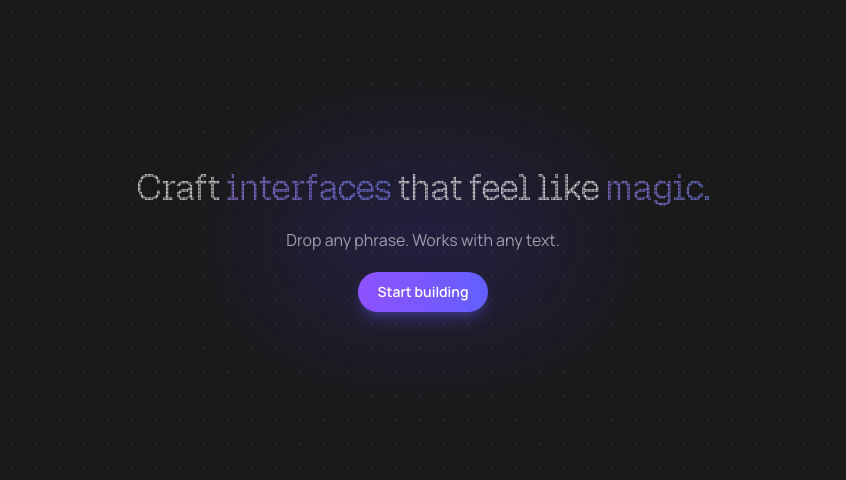
Good VibesInteractive typography where letters scale 2x and become bold on hover.
TypographyInteractiveAnimation
Switch to light
Refresh
Full screen
GOOD VIBES
'use client'
// npm install framer-motion react next
// font: Science Gothic
import React, { useEffect, useRef, useState } from 'react'
import { motion } from 'framer-motion'
import { Science_Gothic } from 'next/font/google'
const scienceGothic = Science_Gothic({ subsets: ['latin'] })
function useTheme(ref: React.RefObject<HTMLElement | null>) {
const [theme, setTheme] = useState<'light' | 'dark'>('dark')
useEffect(() => {
const element = ref.current
if (!element) return
const readTheme = () => {
const cardScope = element.closest('[data-card-theme]') as HTMLElement | null
if (cardScope) {
setTheme(cardScope.dataset.cardTheme === 'dark' ? 'dark' : 'light')
return
}
setTheme(document.documentElement.classList.contains('dark') ? 'dark' : 'light')
}
readTheme()
const observers: MutationObserver[] = []
let current: HTMLElement | null = element
while (current) {
const observer = new MutationObserver(readTheme)
observer.observe(current, { attributes: true, attributeFilter: ['class', 'data-card-theme'] })
observers.push(observer)
current = current.parentElement
}
return () => observers.forEach((o) => o.disconnect())
}, [ref])
return { theme }
}
interface LetterSpanProps {
letter: string
textColor: string
fontFamily: string
forwardedRef: React.Ref<HTMLSpanElement>
}
const LetterSpanComponent = ({ letter, textColor, fontFamily, forwardedRef }: LetterSpanProps) => {
const spanRef = useRef<HTMLSpanElement>(null)
useEffect(() => {
if (forwardedRef) {
if (typeof forwardedRef === 'function') {
forwardedRef(spanRef.current)
} else {
forwardedRef.current = spanRef.current
}
}
}, [forwardedRef])
return (
<span
ref={spanRef}
className={`inline-block select-none ${textColor}`}
style={{
fontSize: 'clamp(1.25rem, 7vw, 5rem)',
fontWeight: 'var(--font-weight, 100)',
fontFamily,
lineHeight: 1,
letterSpacing: 'var(--letter-spacing, 0em)',
transform: 'scale(var(--scale, 1))',
transformOrigin: 'center',
}}
>
{letter}
</span>
)
}
const LetterSpan = motion(LetterSpanComponent)
// Configuration
const TEXT = 'GOOD VIBES'
const INFLUENCE_RADIUS = 300
const MAX_WEIGHT = 700
const MIN_WEIGHT = 100
const MAX_SCALE = 2
const MIN_SCALE = 1
const MAX_LETTER_SPACING = 0.3
const MIN_LETTER_SPACING = 0
const EASE_DURATION = 0.15
export default function GoodVibes() {
const containerRef = useRef<HTMLDivElement>(null)
const { theme } = useTheme(containerRef)
const isDark = theme === 'dark'
const lettersRef = useRef<(HTMLSpanElement | null)[]>([])
const mouseRef = useRef<{ x: number; y: number } | null>(null)
const animIdRef = useRef<number>(0)
const aliveRef = useRef(true)
const stateRef = useRef<
Array<{
weight: number
scale: number
letterSpacing: number
}>
>([])
useEffect(() => {
aliveRef.current = true
const container = containerRef.current
if (!container) return
TEXT.split('').forEach((_, i) => {
if (!stateRef.current[i]) {
stateRef.current[i] = {
weight: MIN_WEIGHT,
scale: MIN_SCALE,
letterSpacing: MIN_LETTER_SPACING,
}
}
})
function animate() {
if (!aliveRef.current) return
const mx = mouseRef.current?.x ?? -99999
const my = mouseRef.current?.y ?? -99999
const isExiting = !mouseRef.current
TEXT.split('').forEach((_, i) => {
const letterEl = lettersRef.current[i]
if (!letterEl) return
const rect = letterEl.getBoundingClientRect()
const letterCenterX = rect.left + rect.width / 2
const letterCenterY = rect.top + rect.height / 2
const dx = letterCenterX - mx
const dy = letterCenterY - my
const dist = Math.sqrt(dx * dx + dy * dy)
let influence = 0
if (dist < INFLUENCE_RADIUS) {
influence = 1 - dist / INFLUENCE_RADIUS
influence = influence * influence * (3 - 2 * influence)
}
// As influence increases, weight INCREASES (100 → 700)
const targetWeight = MIN_WEIGHT + (MAX_WEIGHT - MIN_WEIGHT) * influence
const targetScale = MIN_SCALE + (MAX_SCALE - MIN_SCALE) * influence
const targetLetterSpacing = MIN_LETTER_SPACING + (MAX_LETTER_SPACING - MIN_LETTER_SPACING) * influence
const state = stateRef.current[i]
const easing = isExiting ? 0.05 : EASE_DURATION
state.weight += (targetWeight - state.weight) * easing
state.scale += (targetScale - state.scale) * easing
state.letterSpacing += (targetLetterSpacing - state.letterSpacing) * easing
letterEl.style.setProperty('--font-weight', Math.round(state.weight).toString())
letterEl.style.setProperty('--scale', state.scale.toFixed(3))
letterEl.style.setProperty('--letter-spacing', `${state.letterSpacing.toFixed(3)}em`)
})
animIdRef.current = requestAnimationFrame(animate)
}
animate()
return () => {
aliveRef.current = false
if (animIdRef.current) cancelAnimationFrame(animIdRef.current)
}
}, [])
function handleMouseMove(e: React.MouseEvent<HTMLDivElement>) {
mouseRef.current = { x: e.clientX, y: e.clientY }
}
function handleMouseLeave() {
mouseRef.current = null
}
function handleTouchStart(e: React.TouchEvent<HTMLDivElement>) {
const touch = e.touches[0]
if (touch) mouseRef.current = { x: touch.clientX, y: touch.clientY }
}
function handleTouchMove(e: React.TouchEvent<HTMLDivElement>) {
const touch = e.touches[0]
if (touch) mouseRef.current = { x: touch.clientX, y: touch.clientY }
}
function handleTouchEnd() {
setTimeout(() => {
mouseRef.current = null
}, 600)
}
const bgColor = isDark ? '#1a1a1a' : '#f5f5f5'
const textColor = isDark ? 'text-[#ed7550]' : 'text-[#ed7550]'
return (
<div
ref={containerRef}
className={`flex min-h-screen w-full flex-col items-center justify-center gap-8 px-6 sm:px-10 ${scienceGothic.className}`}
style={{ backgroundColor: bgColor }}
onMouseMove={handleMouseMove}
onMouseLeave={handleMouseLeave}
onTouchStart={handleTouchStart}
onTouchMove={handleTouchMove}
onTouchEnd={handleTouchEnd}
>
<div className="flex flex-nowrap items-center justify-center gap-1 sm:gap-4">
{TEXT.split('').map((letter, i) => (
<LetterSpan
key={i}
letter={letter}
forwardedRef={(el) => {
if (el) lettersRef.current[i] = el
}}
textColor={textColor}
fontFamily={scienceGothic.style.fontFamily}
/>
))}
</div>
</div>
)
}
Add to your project
One command adds this component to your project.
1
Run the following command. New project? Run npx shadcn@latest init first to set up Tailwind and path aliases.
npx shadcn@latest add @aicanvas/good-vibes2
For dark mode, add the dark class to your <html> element:
<html class="dark">3
This component uses Science Gothic. Add it to your project:
Optional<link href="https://fonts.googleapis.com/css2?family=Science+Gothic:wght@400;500;600;700;800&display=swap" rel="stylesheet">