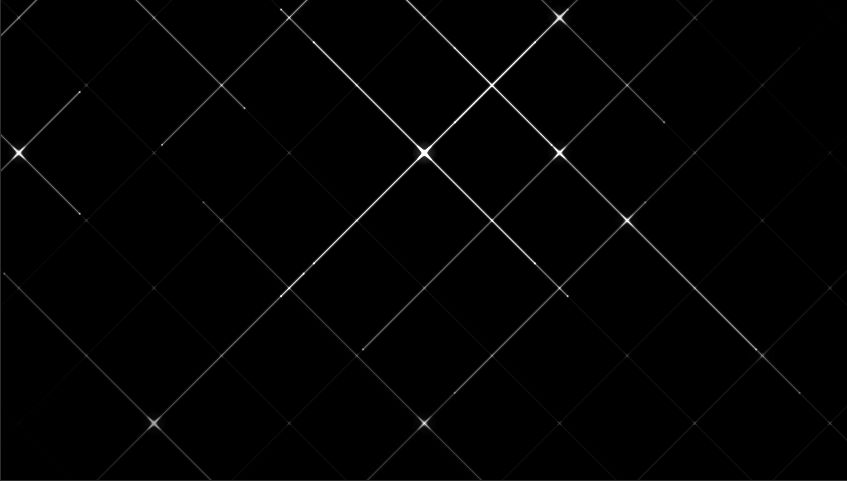
Distortion GridA canvas grid of thin lines that slowly undulate with large sweeping waves.
BackgroundsCanvasInteractive
Switch to light
Refresh
Full screen
Distortion Gridhover to warp
'use client'
import { useLayoutEffect, useEffect, useRef, useState } from 'react'
const useIsomorphicLayoutEffect = typeof window !== 'undefined' ? useLayoutEffect : useEffect
// ─── Config ───────────────────────────────────────────────────────────────────
const SPACING = 32 // px between grid points at rest
const BASE_AMP = 30 // px — dramatic resting amplitude (1-2 waves visible)
const WAVE_FREQ = 0.007 // low frequency → ~900px wavelength
const HOVER_BOOST = 1.5 // amp multiplier on full hover (waves grow 2.5×)
const LOCAL_AMP = 60 // px — push away from cursor at centre
const LOCAL_RADIUS = 260 // px — repulsion radius
const LINE_A_DARK = 0.55
const LINE_A_LIGHT = 0.75
export default function DistortionGrid() {
const containerRef = useRef<HTMLDivElement>(null)
const canvasRef = useRef<HTMLCanvasElement>(null)
const mouseRef = useRef<{ x: number; y: number } | null>(null)
const isDarkRef = useRef(typeof window !== 'undefined' ? document.documentElement.classList.contains('dark') : false)
const [isDark, setIsDark] = useState(() => typeof window !== 'undefined' ? document.documentElement.classList.contains('dark') : false)
// ── Theme detection ──────────────────────────────────────────────────────────
useIsomorphicLayoutEffect(() => {
const el = containerRef.current
if (!el) return
const check = () => {
const card = el.closest('[data-card-theme]')
const dark = card
? card.classList.contains('dark')
: document.documentElement.classList.contains('dark')
setIsDark(dark)
isDarkRef.current = dark
}
check()
const observer = new MutationObserver(check)
observer.observe(document.documentElement, { attributes: true, attributeFilter: ['class'] })
const cardWrapper = el.closest('[data-card-theme]')
if (cardWrapper) observer.observe(cardWrapper, { attributes: true, attributeFilter: ['class'] })
return () => observer.disconnect()
}, [])
// ── Canvas render loop ───────────────────────────────────────────────────────
useEffect(() => {
const canvas = canvasRef.current!
const ctx = canvas.getContext('2d')!
let cols = 0, rows = 0, cw = 0, ch = 0
let ox = 0, oy = 0
let animId = 0
let alive = true
let t = 0
let hoverStr = 0 // lerped 0 → 1 on mouse enter, 1 → 0 on leave
function build() {
const dpr = window.devicePixelRatio || 1
const rect = canvas.getBoundingClientRect()
cw = rect.width
ch = rect.height
if (!cw || !ch) return
canvas.width = Math.round(cw * dpr)
canvas.height = Math.round(ch * dpr)
ctx.setTransform(dpr, 0, 0, dpr, 0, 0)
cols = Math.floor(cw / SPACING) + 2
rows = Math.floor(ch / SPACING) + 2
ox = (cw % SPACING) / 2
oy = (ch % SPACING) / 2
}
function frame() {
if (!alive) return
t += 0.002
// Global hover strength — smooth ease in/out across entire canvas
const hasHover = mouseRef.current !== null
hoverStr += ((hasHover ? 1 : 0) - hoverStr) * (hasHover ? 0.018 : 0.010)
ctx.clearRect(0, 0, cw, ch)
const dotRGB = isDarkRef.current ? '255,255,255' : '28,25,22'
const lineA = isDarkRef.current ? LINE_A_DARK : LINE_A_LIGHT
const mx = mouseRef.current?.x ?? -99999
const my = mouseRef.current?.y ?? -99999
const r2 = LOCAL_RADIUS * LOCAL_RADIUS
// Amplitude grows globally when hovering anywhere on canvas
const amp = BASE_AMP * (1 + hoverStr * HOVER_BOOST)
function displaced(c: number, r: number): [number, number] {
const rx = ox + c * SPACING
const ry = oy + r * SPACING
// Low-frequency layered sine waves — 1-2 visible undulations
const wx = amp * (Math.sin(rx * WAVE_FREQ + t) + Math.sin(ry * WAVE_FREQ * 0.6 + t * 1.3) * 0.55)
const wy = amp * (Math.cos(ry * WAVE_FREQ * 0.8 + t * 1.15) + Math.cos(rx * WAVE_FREQ * 0.5 + t * 0.75) * 0.55)
// Gaussian repulsion — lines pushed away, leaving a void around cursor
const dx = rx - mx
const dy = ry - my
const dist2 = dx * dx + dy * dy
let px = 0, py = 0
if (dist2 < r2 * 4) {
const push = LOCAL_AMP * Math.exp(-dist2 / (r2 * 0.5))
const dist = Math.sqrt(dist2) || 1
px = (dx / dist) * push
py = (dy / dist) * push
}
return [rx + wx + px, ry + wy + py]
}
ctx.strokeStyle = `rgba(${dotRGB},${lineA.toFixed(3)})`
ctx.lineWidth = 0.5
// Horizontal lines — one per row
for (let r = 0; r < rows; r++) {
ctx.beginPath()
const [x0, y0] = displaced(0, r)
ctx.moveTo(x0, y0)
for (let c = 1; c < cols; c++) {
const [x, y] = displaced(c, r)
ctx.lineTo(x, y)
}
ctx.stroke()
}
// Vertical lines — one per col
for (let c = 0; c < cols; c++) {
ctx.beginPath()
const [x0, y0] = displaced(c, 0)
ctx.moveTo(x0, y0)
for (let r = 1; r < rows; r++) {
const [x, y] = displaced(c, r)
ctx.lineTo(x, y)
}
ctx.stroke()
}
animId = requestAnimationFrame(frame)
}
build()
frame()
const ro = new ResizeObserver(build)
ro.observe(canvas.parentElement!)
return () => {
alive = false
cancelAnimationFrame(animId)
ro.disconnect()
}
}, [])
function updateMouse(clientX: number, clientY: number) {
const rect = canvasRef.current?.getBoundingClientRect()
if (!rect) return
mouseRef.current = { x: clientX - rect.left, y: clientY - rect.top }
}
const bg = isDark ? '#110F0C' : '#F5F1EA'
const labelColor = isDark ? 'rgba(255,255,255,0.45)' : 'rgba(28,25,22,0.45)'
const hintColor = isDark ? 'rgba(255,255,255,0.18)' : 'rgba(28,25,22,0.22)'
return (
<div
ref={containerRef}
className="relative min-h-screen w-full overflow-hidden"
style={{ background: bg }}
onMouseMove={(e) => updateMouse(e.clientX, e.clientY)}
onMouseLeave={() => { mouseRef.current = null }}
onTouchMove={(e) => { const t2 = e.touches[0]; if (t2) updateMouse(t2.clientX, t2.clientY) }}
onTouchEnd={() => { mouseRef.current = null }}
>
<canvas ref={canvasRef} className="absolute inset-0" style={{ width: '100%', height: '100%' }} />
<div className="pointer-events-none absolute inset-0 flex flex-col items-center justify-center gap-2">
<span style={{ color: labelColor, fontSize: 22, fontWeight: 700, letterSpacing: '-0.02em' }}>
Distortion Grid
</span>
<span style={{ color: hintColor, fontSize: 11, fontWeight: 600, textTransform: 'uppercase', letterSpacing: '0.12em' }}>
hover to warp
</span>
</div>
</div>
)
}
Add to your project
One command adds this component to your project.
1
Run the following command. New project? Run npx shadcn@latest init first to set up Tailwind and path aliases.
npx shadcn@latest add @aicanvas/distortion-grid2
For dark mode, add the dark class to your <html> element:
<html class="dark">